
Data Analysis
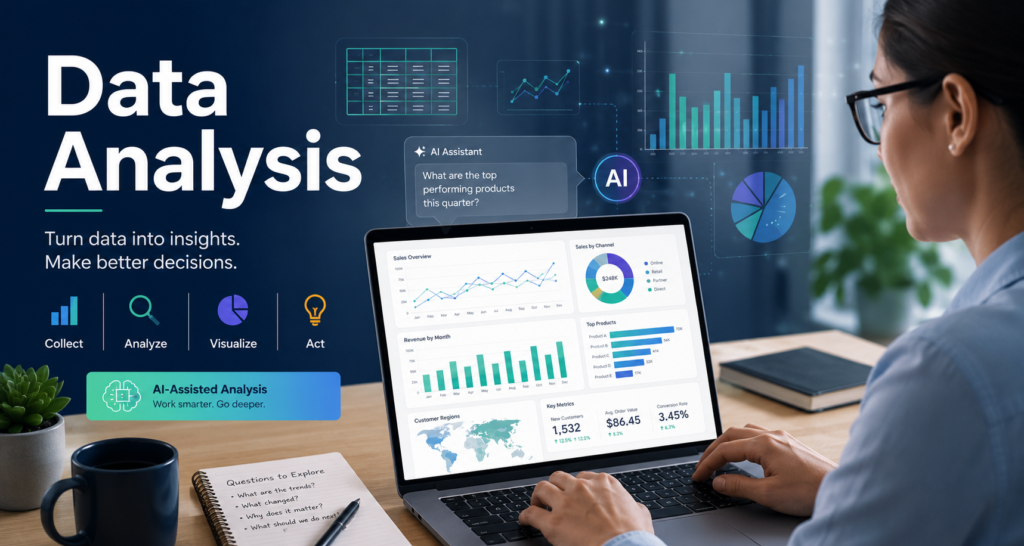
Data is increasingly part of everyday decision-making, and artificial intelligence is making it easier for professionals to analyze information, identify patterns, and generate useful insights. You don’t need to become a data scientist to benefit from understanding how to work with data. Developing practical data analysis skills can help you ask better questions, evaluate AI-generated insights, communicate findings, and make more informed decisions in almost any industry.
Table of Contents
- What Is Data Analysis?
- Why Data Analysis Matters in the Age of AI
- The Data Analysis Process
- Essential Data Skills for Professionals
- How AI Can Help With Data Analysis
- Don’t Let AI Do the Thinking for You
- Data Analysis Tools to Learn
- Which Data Skills Should You Learn?
- Build Data Analysis Skills Through Practice
- Use Data Responsibly
- Where to Go Next
What Is Data Analysis?
Data analysis is the process of examining, organizing, interpreting, and communicating information to answer questions or support decisions. Depending on the task, this may involve spreadsheets, charts, databases, statistical methods, business intelligence tools, programming languages, or AI-assisted analysis. The goal is not simply to produce numbers or charts. Effective data analysis helps turn raw information into meaningful insights that people can understand and use.
Why Data Analysis Matters in the Age of AI
AI tools can help professionals work with data faster, but they do not eliminate the need to understand what the data means. An AI system may summarize a dataset, suggest trends, create visualizations, or even recommend conclusions—but a person still needs to determine whether the data is reliable and whether the conclusions make sense. Professionals who combine data literacy, critical thinking, and practical AI skills can be better prepared to use AI-generated analysis responsibly and recognize when results require further investigation.
The Data Analysis Process
Good data analysis starts with a question, not with a tool. A simple process can help you move from raw information to useful conclusions while reducing the risk of misleading results.
1. Define the Question
Start by identifying what you are trying to understand or decide. A clear question helps determine what data you need and prevents you from analyzing information without a useful purpose.
2. Gather the Data
Identify relevant information from reliable sources. Data might come from spreadsheets, surveys, customer records, financial systems, websites, databases, sensors, research, or other business systems
3. Clean and Organize the Data
Real-world data often contains missing values, duplicates, inconsistent formats, errors, or irrelevant information. Cleaning and organizing the data before analysis can significantly improve the quality of your results.
4. Explore and Analyze
Look for patterns, trends, relationships, differences, and unusual results. Depending on the question, analysis might involve calculations, comparisons, statistics, charts, filtering, or AI-assisted exploration.
5. Interpret the Results
Ask what the findings actually mean. Consider whether there are alternative explanations, limitations in the data, or other factors that could affect your conclusions.
6. Communicate the Findings
Present the most important insights in a form your audience can understand. A clear chart, short summary, dashboard, or recommendation can often be more useful than presenting every calculation performed during the analysis.
Essential Data Skills for Professionals
You don’t need advanced mathematics or programming to begin building useful data skills. Start with the abilities most relevant to the information you encounter in your work.
Spreadsheet Skills
Learn how to organize, filter, sort, calculate, and summarize information using spreadsheets. Functions, formulas, pivot tables, and charts can solve many everyday analysis problems without programming.
Data Visualization
Learn how to select and interpret charts that communicate information clearly. Effective visualization helps people recognize trends, comparisons, and patterns that may be difficult to see in rows of numbers.
Basic Statistics
Understanding concepts such as averages, percentages, distributions, variation, correlation, and sample size can help you interpret data more accurately and recognize potentially misleading conclusions.
Asking Good Questions
Strong analysts don’t simply calculate—they ask useful questions. Consider what you are trying to learn, what information might be missing, and what other explanations could account for the results.
Data Quality
Learn to recognize incomplete, inconsistent, outdated, or biased data. Even sophisticated analysis can produce poor conclusions when the underlying information is unreliable.
How AI Can Help with Data Analysis
AI can make data analysis faster and more accessible by helping people explore information using natural language. Instead of knowing every formula or programming command, users can increasingly describe what they want to investigate and ask AI-assisted tools to help perform or explain the analysis.
Explore Data With Natural Language
AI tools can help you ask questions about a dataset in everyday language. For example, you might ask which products experienced the largest sales increase, which expenses changed most significantly, or what patterns appear across different customer groups.
Create and Explain Formulas
AI can help suggest spreadsheet formulas, explain what existing formulas do, and troubleshoot errors. This can make spreadsheets more approachable while helping users gradually build their own technical knowledge.
Summarize Large Amounts of Information
AI can assist with identifying trends, categories, recurring themes, and notable differences across large amounts of information. This can be especially useful as a starting point for further analysis.
Create Visualizations
AI-assisted tools can recommend charts or help create visualizations based on the question you are trying to answer. The analyst still needs to determine whether the visualization accurately and clearly represents the data.
Assist With Code
For more technical analysis, AI can help generate and explain code for languages such as Python or SQL. It can also help identify possible errors and suggest alternative approaches. AI-generated code should be reviewed and tested before being relied upon.
Explain Results
AI can help translate technical findings into plain-language summaries for managers, customers, colleagues, or other audiences. Human review remains important to ensure the explanation accurately reflects the underlying analysis.
Don’t Let AI Do the Thinking for You
AI can calculate quickly and generate convincing explanations, but that does not mean its conclusions are correct. Errors in the data, inappropriate assumptions, misleading correlations, or mistakes in AI-generated calculations can all produce unreliable results. Before acting on AI-assisted analysis, ask: Where did the data come from? Is it complete? Are the calculations correct? Does the conclusion actually follow from the evidence? Could there be another explanation? The value of AI-assisted data analysis comes from combining the speed of technology with human judgment, subject-matter knowledge, and critical thinking.
Data Analysis Tools to Learn
You don’t need to master every data tool. The right tools depend on your job, the amount and complexity of the data you work with, and your career goals. A practical approach is to start with familiar tools and add more advanced capabilities as you need them.
Spreadsheets
Microsoft Excel and Google Sheets are useful starting points for data analysis. They can organize information, perform calculations, create charts, summarize data, and support many everyday business decisions. Strong spreadsheet skills remain valuable across a wide range of careers.
Business Intelligence and Visualization Tools
Tools such as Microsoft Power BI and Tableau can help turn larger datasets into dashboards, reports, and interactive visualizations. These skills can be particularly valuable in business, finance, operations, marketing, healthcare, and management roles.
SQL
SQL (Structured Query Language) is used to retrieve and work with information stored in databases. Learning basic SQL can be valuable for analysts and other professionals who need to work directly with larger organizational datasets.
Python
Python is widely used for data analysis, automation, machine learning, and artificial intelligence. Libraries can help analysts clean data, perform calculations, create visualizations, and work with large datasets. Python is especially useful for people pursuing more technical data and AI roles.
AI-Assisted Analysis Tools
AI capabilities are increasingly being incorporated into spreadsheets, business intelligence platforms, coding environments, and other analysis tools. These features can help users write formulas, explore datasets, create visualizations, generate code, and explain results using natural-language instructions.
Which Data Skills Should You Learn?
- Most professionals: Start with spreadsheets, data literacy, basic statistics, and visualization.
- Business and operations roles: Add dashboards and business intelligence tools.
- Analyst roles: Develop stronger spreadsheet skills, SQL, visualization, and statistical knowledge.
- Technical data and AI careers: Add Python, databases, statistics, and eventually machine learning concepts.
- Managers and leaders: Focus on interpreting data, asking good questions, evaluating evidence, and communicating insights.
Build Data Analysis Skills Through Practice
Data analysis is best learned by working with real information and real questions. You don’t need a large or complicated dataset to begin. Start with information you understand and practice turning it into useful insights
- Analyze a personal or business spreadsheet. Look for trends, changes, unusual values, or opportunities to summarize the information more clearly.
- Create a simple dashboard. Turn a dataset into a few charts or indicators that communicate the most important information.
- Practice asking questions. Before using a tool, write down what you want to learn from the data and what evidence would help answer the question.
- Use AI as an assistant. Ask AI to suggest formulas, explain calculations, recommend visualizations, or help explore a dataset—then verify the results yourself.
- Compare different visualizations. Experiment with charts and determine which one communicates the information most clearly.
- Explain your findings. Practice turning analysis into a short summary that a nontechnical colleague could understand.
- Build small portfolio projects. If you’re pursuing an analyst or technical career, projects can demonstrate your ability to turn data into useful conclusions.
For additional hands-on learning, explore Microsoft’s beginner module on data analytics, which covers organizing, summarizing, and visualizing data.
Use Data Responsibly
Working with data carries responsibility. Consider privacy, security, accuracy, bias, and appropriate access whenever you collect, analyze, share, or use information. Avoid uploading confidential company information, personal customer or employee data, financial records, or other sensitive material into AI tools unless the system is approved for that use and you are authorized to provide the information. Responsible analysis also means being transparent about limitations. If a dataset is incomplete, outdated, unusually small, or potentially biased, those limitations should be considered when interpreting and communicating the results.
Where to Go Next
Data analysis becomes even more valuable when combined with other AI and professional skills. Continue building the areas that best support your career goals.
- AI Fundamentals — understand the concepts behind artificial intelligence and AI-assisted work.
- Prompt Engineering — learn how to give AI systems clearer instructions and evaluate their responses.
- Explore AI Skills — discover additional skills for an AI-powered workplace.
- Explore AI Careers — see how data and AI skills connect with emerging career opportunities.
You don’t need to become a data scientist to become more confident with data. Start with useful questions, build practical skills, and learn to combine AI capabilities with your own judgment and understanding.