
How to Choose the Right AI Tool for Work, Learning or Business
New AI tools appear constantly, promising to help people write faster, research more effectively, analyze information, create content, automate work, run businesses, learn new skills, and accomplish tasks that once required considerably more time.
The abundance of choices creates a different problem: How do you choose AI tools that are actually worth using?
The answer does not begin with finding the tool with the longest feature list, the newest model, or the most impressive demonstration. It begins with understanding what you are trying to accomplish.
A powerful AI system can still be the wrong choice if it adds unnecessary complexity, costs more than the value it creates, requires access you should not provide, or solves a problem you do not actually have.
At the same time, an inexpensive or general-purpose AI assistant may be entirely sufficient for many everyday tasks.
The goal, therefore, is not to collect AI tools.
The goal is to build enough AI capability to accomplish useful work without adding unnecessary cost, complexity, or risk.
This guide will help you decide what kind of AI tool you need, compare alternatives, test them on real work, decide when paying makes sense, and recognize when a workflow or AI agent may—or may not—be a better solution.
Start With the Work, Not the AI Tool
It is easy to approach AI backwards.
You see a new tool, watch an impressive demonstration, and then begin looking for something you could use it for.
A better approach starts with the work.
Ask:
- What am I trying to accomplish?
- How often do I do this?
- Which part takes the most time or creates the most difficulty?
- Does the task require creativity, analysis, judgment, repetition, or access to other systems?
- What would a successful result look like?
- How would I know whether AI actually improved the process?
For example, suppose you regularly prepare a weekly business report.
The problem may not be, “I need a better AI tool.”
The actual problem might be:
Every Friday, I spend three hours collecting information from several sources, organizing it, identifying important changes, writing a summary, checking the results, and sending the report.
That description gives you something useful to evaluate.
Perhaps a general AI assistant could help summarize the information. Perhaps several predictable steps could be automated. Perhaps an AI-assisted workflow could reduce the entire process to an hour. Or perhaps the work is sufficiently variable and involves enough different systems that an AI agent could eventually be useful.
You cannot make that decision intelligently until you understand the work itself.
This principle applies beyond employment. A student may want help understanding difficult material. A freelancer may need to turn interview notes into a client proposal. A small-business owner may spend hours responding to routine inquiries. A job seeker may need help researching employers and preparing for interviews.
Each situation may benefit from AI, but they do not necessarily require the same AI tool—or the same level of AI capability.
Before comparing products, write down one specific task or problem you want AI to help you improve.
Then ask one more question:
What is the simplest reliable way to solve this problem?
That question can prevent unnecessary subscriptions, complicated implementations, and the temptation to use advanced AI simply because it is available.
The best AI tool is not necessarily the most powerful one. It is the least complicated tool that reliably helps you accomplish the work that matters.
What Kind of AI Help Do You Actually Need?
Not every AI task requires a specialized tool, an automated workflow, or an AI agent.
In many cases, a general AI assistant may be enough. In others, a specialized tool can provide capabilities that a general assistant does not perform as effectively. Repetitive processes may benefit from workflows or automation, while more complex and changing processes may eventually justify an AI agent.
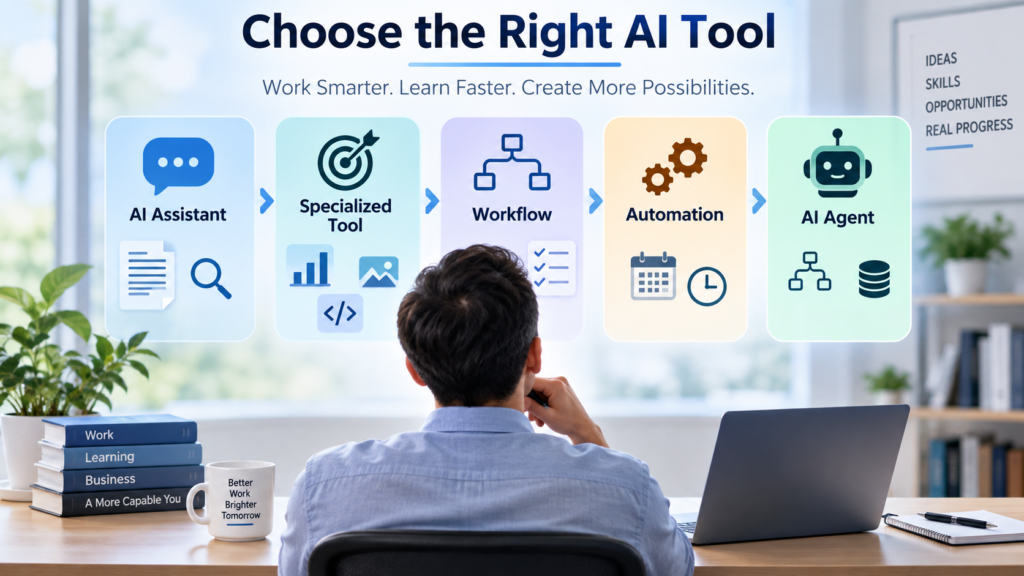
A useful way to think about these choices is as an AI Tool Decision Ladder.
The goal is not to climb as high as possible.
Stop at the lowest level that reliably solves the problem.
Level 1 — Use a General AI Assistant
Start here when you primarily need AI to help with individual tasks.
Examples might include:
- brainstorming ideas,
- explaining unfamiliar concepts,
- summarizing information,
- drafting or revising writing,
- comparing alternatives,
- analyzing documents,
- researching a topic,
- organizing information, or
- thinking through a problem.
A general-purpose AI assistant can perform many different kinds of work without requiring you to purchase a separate tool for every task.
For many people, this may cover a substantial portion of their everyday AI needs.
Before adding another product, ask:
Can the AI assistant I already use perform this task well enough?
If the answer is yes, another subscription may provide little additional value.
Level 2 — Use a Specialized AI Tool
A specialized AI tool may make sense when it provides a meaningful advantage for a particular type of work.
Examples could include tools designed primarily for:
- software development,
- transcription,
- design or image creation,
- video or audio production,
- meeting documentation,
- specialized data analysis,
- research within a particular information source, or
- another professional or industry-specific activity.
The existence of a specialized tool does not automatically make it better than a general AI assistant.
Ask what the specialization actually gives you.
Does it produce better results?
Does it integrate with software you already use?
Does it eliminate several manual steps?
Does it provide controls, data, or capabilities that your general AI assistant does not?
If the advantage is small, adding another tool may simply add another account, interface, learning curve, and subscription.
Specialization is valuable when it creates a meaningful improvement—not merely because the product was designed for a narrower task.
Level 3 — Build a Repeatable AI Workflow
Sometimes the problem is not that you need another AI tool.
You may need a better process.
Suppose you repeatedly:
- gather information,
- organize it,
- ask AI to analyze it,
- prepare a draft,
- verify important information,
- revise the result, and
- send or publish the final version.
If you perform that sequence frequently, turning it into a repeatable workflow may create more value than switching among additional AI products.
A workflow can define:
- what begins the process,
- what information is required,
- where AI contributes,
- what should follow predictable rules,
- where human review occurs, and
- what a successful result looks like.
The result can be a more reliable way of working without giving AI broad independence.
A better workflow can sometimes create more value than a more powerful AI tool.
Level 4 — Automate Predictable Steps
Some parts of work do not require AI judgment at all.
If the rule is essentially:
When X happens → perform Y
ordinary automation may be the simpler solution.
Examples might include moving information between systems, sending a predefined notification, creating a recurring task, organizing files according to known rules, or triggering a standard process when a particular event occurs.
AI can be added where interpretation or generation genuinely helps, but there is little reason to make a predictable step more complicated than necessary.
This is an important distinction because AI is not automatically the best technology for every part of an AI-enabled process.
Use AI where AI adds value. Use ordinary automation where predictable rules are enough.
Level 5 — Consider an AI Agent
An AI agent may be worth considering when the work requires greater flexibility and independence.
For example, the system may need to:
- pursue a goal across several steps,
- decide which permitted tool to use,
- gather information from multiple sources,
- respond differently as conditions change,
- determine what step should happen next, or
- continue working until it reaches a defined stopping or escalation point.
That additional flexibility can be valuable.
It can also introduce additional complexity involving permissions, monitoring, security, cost, testing, and human oversight.
An agent should therefore not be treated as the inevitable destination of AI adoption.
If an assistant, workflow, or ordinary automation reliably performs the work, greater autonomy may provide little additional benefit.
Use an AI agent because the work requires greater flexibility—not because greater autonomy sounds more advanced.
For a deeper explanation of when agents are appropriate, how much authority they should receive, and when a simpler workflow may be better, see our AI Agents for Work & Business guide
The AI Tool Decision Ladder in Practice
Before choosing a product, locate your problem on the ladder:
Individual task → General AI assistant
Specialized task with meaningful additional requirements → Specialized AI tool
Repeatable multi-step process → AI workflow
Predictable rule-based step → Automation
Changing multi-step process requiring AI decisions → AI agent
These categories can overlap. A workflow might contain both traditional automation and AI. A specialized tool might include agent capabilities. A general AI assistant may eventually support workflows and connected applications.
Product labels will also change over time.
What matters is not what the company calls the software.
What matters is what you need the system to do, how much independence it requires, what it can access, and how you will determine whether it is actually improving the work.
General AI Assistant or Specialized AI Tool?
General AI assistants have become capable of handling a wide range of tasks. Depending on the system and features available, they may help with writing, research, analysis, documents, images, data, coding, planning, and other everyday work.
That makes an important question increasingly relevant:
Do you actually need a specialized AI tool, or can the general AI assistant you already use do the job well enough?
There is no universal answer.
A specialized tool may be worthwhile when its narrower focus creates a meaningful advantage. But adding another product simply because it is marketed for a particular task can increase cost and complexity without improving the result enough to matter.
When a General AI Assistant May Be Enough
A general AI assistant may be the better starting point when:
- you perform many different kinds of tasks,
- your needs change from day to day,
- you primarily want help thinking, writing, researching, analyzing, or organizing,
- you do not require a specialized professional workflow,
- you are still learning how AI fits into your work, or
- the assistant already produces results that meet your needs.
Using one capable general tool can also reduce the number of interfaces, accounts, subscriptions, and workflows you need to learn.
This does not mean one tool must perform everything.
It means another tool should have a reason to exist in your toolkit.
When a Specialized Tool May Be Worth It
A specialized AI tool becomes more compelling when it provides capabilities that materially improve the work.
That advantage might come from:
- deeper integration with software you already use,
- access to specialized information or data,
- features designed around a particular profession or workflow,
- better controls for a specific type of output,
- stronger collaboration or review capabilities,
- reduced manual work between steps,
- improved consistency for a recurring task, or
- substantially better results for the work that matters to you.
For example, someone who occasionally writes code may find a general AI assistant sufficient. Someone who develops software throughout the workday may benefit substantially from an AI tool integrated directly into the development environment.
Likewise, a person who occasionally summarizes a meeting may not need specialized meeting software. A team that conducts many meetings and depends on searchable transcripts, assigned action items, and integrations with other business systems may have a stronger reason to consider it.
The question is not whether the specialized product has more features.
Ask:
Does this specialization improve my actual work enough to justify another tool?
Compare the Improvement, Not the Demonstration
AI demonstrations are designed to show a product performing well.
Your work may be considerably messier.
Your documents may be longer. Your data may be incomplete. Your terminology may be specialized. Your process may involve exceptions. Your organization may restrict what information can be entered into an external service.
A feature that looks impressive in a demonstration may save little time in your real workflow—or may require so much checking and correction that the apparent advantage disappears.
Evaluate the improvement against what you already have.
If your current tool completes a task in 15 minutes and a specialized product reduces that to 13 minutes, the improvement may not justify another subscription and another system to manage.
If it reduces a two-hour recurring process to 30 minutes while maintaining acceptable quality, the decision looks very different.
Evaluate AI tools against your current way of working—not against the product demonstration
When an AI Workflow Is Better Than Another Tool
It is easy to accumulate AI products while trying to solve a process problem.
You might use one tool to research, another to summarize, another to write, another to organize information, and another to automate a final step.
Sometimes that combination is appropriate.
Other times, the underlying problem is that the work has never been organized into a clear process.
Before purchasing another tool, map the work from beginning to end.
Ask:
- What starts the process?
- What information is needed?
- Which steps repeat?
- Where does AI genuinely help?
- Which steps follow predictable rules?
- Where is human judgment necessary?
- What needs to be checked?
- What happens when something goes wrong?
- What marks the process as complete?
Once those questions are answered, you may discover that the tools you already have are sufficient.
The improvement comes from connecting the steps more deliberately.
For example, instead of repeatedly deciding how to use AI to prepare a weekly report, you might establish a standard process:
Collect the required information → organize it in a consistent format → use AI to identify important changes → prepare a draft → verify critical facts → human review → distribute the report
The AI has not necessarily become more powerful.
The process has become better designed.
That distinction matters because buying additional software can sometimes hide an inefficient workflow rather than fix it.
Do not use a growing collection of AI tools as a substitute for understanding how the work should be done.
If you want to turn recurring AI-assisted tasks into a clearer and more reliable process, our Build AI Workflows guide explains how to choose a suitable task, design the workflow, define human review, test the process, and measure whether it actually improves the work.
When an AI Agent May Be Worth Considering
An AI agent may become useful when a well-designed workflow still requires frequent decisions about what should happen next.
A traditional workflow generally follows a process you define. An agent can be given more flexibility to pursue a goal, select among permitted tools, respond to changing information, and determine some of its own intermediate steps.
That can be valuable when the work cannot easily be reduced to a fixed sequence.
For example, an agent might need to gather information from several approved sources, determine which information is relevant, use different tools depending on what it finds, prepare an output, and escalate certain situations for human review.
But greater autonomy is not automatically an improvement.
The more authority a system receives, the more important questions become about:
- what information it can access,
- which tools and systems it can use,
- what actions it can take,
- which actions require approval,
- how its work will be monitored,
- what happens when it makes a mistake, and
- who remains accountable for the outcome.
For low-risk work, greater independence may be convenient. For work involving customers, money, confidential information, important decisions, or changes to business systems, the consequences of an error can be much greater.
Before adopting an agent, ask:
What does the agent need permission to do that a simpler workflow cannot accomplish?
If there is no clear answer, greater autonomy may not be necessary.
Use the least autonomous system that reliably solves the problem, and expand autonomy only when the additional capability produces a meaningful benefit.
For a deeper examination of agent capabilities, permissions, human oversight, security, and when not to use an agent, see our AI Agents for Work & Business guide.
Compare AI Tools on What Actually Matters
Once you understand the problem you are trying to solve and the level of AI capability it requires, you can begin comparing tools.
Feature lists are useful, but they should not make the decision for you.
A product can offer dozens of impressive capabilities and still be a poor fit for your work. Another product may do fewer things but perform the tasks you care about extremely well.
Instead of asking which tool has the most features, evaluate each option using criteria connected to the work you actually need to accomplish.
1. Task Fit
Start with the most basic question:
Can this tool reliably perform the work I need it to perform?
Do not let unrelated features compensate for weakness in the task that caused you to consider the product in the first place.
If you need help analyzing documents, test document analysis.
If you need help writing code, test it on the type of code you actually work with.
If you need help preparing marketing material, use realistic material from that workflow.
Evaluate the tool on your use case—not merely on everything the product claims it can do.
2. Output Quality and Reliability
A fast result has limited value if you routinely have to repair it.
Consider:
- accuracy,
- completeness,
- consistency,
- usefulness,
- appropriate tone or format,
- ability to follow instructions, and
- how much checking or correction the output requires.
AI systems can produce plausible but incorrect information, so reliability matters particularly when mistakes could affect important decisions or other people.
NIST’s AI Risk Management Framework provides a broader framework for evaluating and managing risks associated with AI systems, including considerations related to trustworthy and responsible AI use.
Do not measure only how quickly AI produces an answer.
Measure how long it takes to reach a result you are willing to use.
The useful measure is not time to first output. It is time to an acceptable result.
3. Ease of Use and Learning Curve
A powerful tool that nobody can use effectively may create less value than a simpler one.
Consider how difficult it is to:
- learn the basic features,
- provide the right instructions,
- incorporate the tool into existing work,
- train other people to use it,
- troubleshoot problems, and
- maintain the process over time.
Learning effort is not necessarily a reason to reject a tool. Some valuable professional systems require substantial training.
But that effort belongs in the cost side of the decision.
Integration With the Way You Already Work
An AI tool can become much more useful when it fits naturally into systems you already depend on.
Depending on your situation, useful integrations might involve:
- email,
- documents,
- spreadsheets,
- calendars,
- communication platforms,
- customer-management systems,
- development environments,
- cloud storage,
- project-management software, or
- other business applications.
Integration can reduce copying, exporting, reformatting, and moving information manually between systems.
But integration also creates another question:
What access does the AI receive in exchange for that convenience?
That leads to one of the most important evaluation criteria.
5. Privacy, Data Access and Permissions
Before providing an AI tool with work information, understand what information it will receive and what it is permitted to do with that information.
Questions may include:
- What data will I enter or upload?
- Does the tool connect to email, documents, cloud storage, or other systems?
- What information can it retrieve?
- What actions can it perform?
- How is information retained or handled?
- What controls does my employer or organization require?
- Am I authorized to provide this information to the service?
This becomes increasingly important as AI systems move beyond answering questions and gain access to other applications and tools.
A useful rule is:
The more an AI system can access, remember, change or send, the more carefully you should evaluate its permissions and controls.
Convenience should not cause you to provide unnecessary access.
For organizations evaluating generative AI risks more broadly, NIST’s Generative AI Profile provides guidance for identifying and managing risks associated with generative AI systems.
If the system needs only one document to perform a task, broad access to an entire information environment may not be justified.
6. Human Review Requirements
Ask what happens between the AI producing a result and someone acting on it.
For low-consequence brainstorming, very little formal review may be necessary.
For financial information, customer communication, employment decisions, healthcare-related work, legal matters, public claims, important research, or actions that change business systems, stronger review may be appropriate.
The question is not simply:
Can AI perform this task?
Also ask:
What should a person verify before the result is trusted or acted upon?
Human review is part of the workflow, not evidence that the AI tool has failed.
A useful system should make the entire process better—including the checking required to use its results responsibly.
7. Cost and the Value You Actually Receive
AI pricing can be deceptive if you compare only monthly subscription prices.
A free tool that requires substantial correction may be more expensive in practice than a paid tool that reliably saves time. At the same time, paying for advanced capabilities you rarely use creates little value.
Consider the complete cost:
- subscription or usage fees,
- additional charges for higher usage or advanced capabilities,
- time required to learn the tool,
- time spent checking and correcting results,
- implementation or integration work,
- training required for other users, and
- the cost of maintaining another system or subscription.
Then compare those costs with measurable benefits.
Does the tool save meaningful time?
Does it improve the quality of important work?
Does it allow you to accomplish something you could not reasonably do before?
Does it reduce repetitive work?
Does it help create enough business or professional value to justify its cost?
The relevant question is not:
Is this AI tool cheap or expensive?
It is:
Is the value I receive worth what this tool costs me in money, time, attention and effort?
8. Free Versus Paid Capability
Free AI tools can be excellent places to begin.
They may allow you to learn how the product works, determine whether AI is useful for the task, and discover which limitations actually affect you before paying for additional capability.
Do not upgrade simply because a paid plan exists.
Instead, identify the limitation you are trying to remove.
A paid version may make sense when it provides something you genuinely need, such as:
- higher or more reliable usage,
- access to capabilities important to your work,
- larger files or greater processing capacity,
- stronger integrations,
- collaboration or administrative features,
- additional security or organizational controls, or
- another capability that produces measurable value.
Before upgrading, complete this sentence:
I am paying because the paid version allows me to __________, and that capability matters because __________.
If you cannot complete both parts clearly, you may not yet have a compelling reason to pay.
Pay for capability with a purpose—not merely for access to a higher tier.
9. Integration Benefits Versus Lock-In
Integration can make an AI tool much more useful.
An assistant that works directly with the documents, applications, communication systems, or business software you already use may eliminate substantial manual effort.
But deep integration can also make switching harder later.
Before committing heavily to one ecosystem, consider:
- whether your important work can be exported,
- whether files use common formats,
- whether prompts, templates, or workflows can be recreated elsewhere,
- whether important information becomes dependent on one platform,
- how difficult retraining would be,
- what happens if pricing changes, and
- what happens if a feature you depend on is changed or discontinued.
You do not need to avoid integrated systems.
You should simply understand the tradeoff.
Integration can reduce friction today while increasing switching costs tomorrow.
For important workflows, try to preserve the information, instructions, and process knowledge that would allow you to adapt if the technology changes.
10. Whether a Simpler Alternative Is Good Enough
Before choosing an advanced AI product, compare it with the simplest realistic alternative.
That alternative might be:
- the general AI assistant you already use,
- a feature already included in software you already pay for,
- an ordinary automation,
- a reusable prompt or template,
- a spreadsheet,
- a checklist,
- a conventional software feature, or
- a better-designed manual process.
This is not an argument against advanced AI.
It is a way to make sure complexity earns its place.
Suppose an agent can automate a process involving several applications. That may be valuable if the process occurs hundreds of times and requires decisions along the way.
But if the task occurs twice a month and takes ten minutes, building and maintaining the agent may create more work than it removes.
Ask:
What is the simplest solution that meets my actual requirements?
Then move to something more sophisticated only when the simpler solution cannot reliably do the job.
A Practical AI Tool Evaluation Scorecard
You do not need a complicated numerical rating system to compare AI tools.
For each tool you are seriously considering, evaluate these ten questions:
- Task Fit — Does it perform the work I actually need?
- Quality and Reliability — Can I reach an acceptable result consistently?
- Ease of Use — Is the learning and operating effort reasonable?
- Integration — Does it fit the systems and processes I already use?
- Privacy and Permissions — Am I comfortable with the information and access it requires?
- Human Review — Can its output or actions be checked appropriately?
- Cost and Value — Is the benefit worth the total cost?
- Free Versus Paid — Do I have a specific reason to pay?
- Portability — Could I reasonably switch if circumstances change?
- Simpler Alternatives — Can something less complicated solve the problem well enough?
You may discover that one tool is clearly stronger in several areas while another is a better overall fit.
That is normal.
There does not have to be a universally “best” AI tool.
There only needs to be a tool that fits your requirements well enough to justify using it.
Do Not Choose an AI Tool From a Score Alone
A scorecard is useful for organizing your thinking, but not every criterion should receive equal weight.
For one person, privacy may be non-negotiable.
For another, integration with existing workplace software may create most of the value.
A freelancer might care greatly about monthly cost and portability. A software developer might place much more weight on integration and output quality. A small business handling customer information may need stronger access controls than someone using AI for personal brainstorming.
Some requirements should therefore be treated as minimum conditions, not points that can be compensated for elsewhere.
For example, if you are not permitted to provide certain information to a service, an excellent score for ease of use does not make that problem disappear.
Likewise, a low price cannot compensate for a tool that performs your essential task unreliably.
Start by identifying your must-have requirements.
Then compare the remaining advantages and disadvantages.
The purpose of an evaluation framework is to improve the decision—not to manufacture a number that makes the decision for you.
Test an AI Tool Before You Commit
An AI tool can look impressive during a demonstration and still provide little value in your actual work.
The best way to find out is to test it on realistic tasks before making a larger commitment.
Whenever possible, use a free version, trial, existing workplace access, or the smallest practical paid commitment while you evaluate the tool.
Do not design the test around what the product does best.
Design it around what you need it to do.
A useful test does not need to take months. For many tools, several carefully selected tasks can reveal much more than hours spent exploring features.
Step 1 — Choose Three to Five Real Tasks
Select work that represents how you would actually use the tool.
For example, you might test whether AI can help you:
- summarize a lengthy document,
- research a question,
- analyze a spreadsheet,
- prepare a client communication,
- revise a piece of writing,
- create a presentation outline,
- work through a coding problem, or
- organize information from several sources.
Avoid relying only on simple tasks chosen because you know the AI can perform them.
Include at least one task that represents the complexity of your normal work.
The question you are testing is not:
Can this AI tool do something impressive?
It is:
Can this AI tool help me do my work better?
Step 2 — Define What a Good Result Looks Like
Decide what success means before evaluating the output.
Depending on the task, a useful result might need to be:
- accurate,
- complete,
- clearly written,
- appropriately formatted,
- supported by reliable sources,
- consistent with your instructions,
- usable with limited correction, or
- completed within a reasonable amount of time.
Without a standard, it is easy to mistake novelty for quality.
An output can look polished while still containing factual errors, missing important information, or requiring substantial revision.
Define the result you are willing to accept—not merely the result you hope AI will produce.
Step 3 — Measure the Entire Process
Do not measure only how quickly the AI produces its first response.
Include the time required to:
- prepare information for the tool,
- write or refine instructions,
- upload or organize material,
- review the result,
- verify important information,
- correct errors,
- reformat the output,
- move information between systems, and
- complete any remaining manual work.
Suppose a task normally takes 60 minutes.
An AI tool might produce a draft in five minutes, which initially appears to save 55 minutes.
But if you then spend 25 minutes correcting the draft, 10 minutes verifying information, and another 10 minutes reformatting it, the actual improvement is much smaller.
That does not necessarily make the tool a poor choice.
It gives you a more accurate measurement.
Measure time to a usable result—not time to an AI response.
Step 4 — Check What the AI Got Wrong
Errors are part of the evaluation.
Pay attention to:
- incorrect facts,
- unsupported claims,
- missing information,
- misunderstood instructions,
- inconsistent results,
- inappropriate assumptions,
- formatting problems, and
- actions that would have caused trouble if you had accepted them without review.
Some errors are minor.
Others can make a tool unsuitable for a particular use even if it performs well most of the time.
Consider both how often errors occur and what happens when they do.
A mistake in brainstorming possible headlines has different consequences from an error in financial analysis, customer information, a public factual claim, or an automated business action.
Step 5 — Compare It With What You Already Have
Do not test the new product in isolation.
Compare it with your current alternative.
That might be:
- your existing AI assistant,
- another tool already included in software you use,
- a conventional software feature,
- a manual process,
- a template,
- an automation, or
- doing the work without AI.
A new tool should earn its place.
If it produces essentially the same result as something you already have, the additional subscription and complexity may not be worthwhile.
If it consistently saves substantial time, improves quality, eliminates frustrating work, or enables something genuinely useful that you could not previously accomplish, its value becomes easier to justify.
Step 6 — Repeat the Test
One excellent result is not enough to establish reliability.
Neither is one poor result necessarily enough to reject a tool.
Repeat important tasks with different material.
Pay attention to whether the tool performs consistently and whether you are learning to use it more effectively.
Also watch for a common effect with new technology: the first few days can feel unusually productive simply because the experience is new and interesting.
The better question is:
After I understand how this tool works, will I continue using it for real work?
A tool that becomes part of a useful routine is more valuable than one that is impressive for a week and then forgotten.
Step 7 — Make a Keep, Upgrade, Switch or Stop Decision
At the end of the test, make an explicit decision.
Keep — The current version provides enough value. Continue using it.
Upgrade — You have identified a specific paid capability that would materially improve the work.
Switch — The idea is useful, but another tool appears better suited to your requirements.
Stop — The improvement does not justify the cost, effort, complexity, or risk.
Stopping is a successful outcome of a good evaluation.
You have learned that the tool does not currently deserve more of your money or attention.
The purpose of testing is not to prove that you should adopt AI. It is to discover whether a particular use of AI creates enough value to keep.
Measure Value, Not AI Activity
Using AI more often does not necessarily mean that you are becoming more productive.
It is possible to generate more drafts, summaries, images, reports, analyses, and ideas without improving anything that ultimately matters.
Whenever possible, connect AI use to an outcome.
Depending on the situation, useful measures might include:
- time saved,
- errors reduced,
- quality improved,
- faster response times,
- repetitive work eliminated,
- additional work completed,
- customer or client outcomes,
- revenue created,
- costs reduced, or
- capabilities you could not reasonably access before.
Some benefits are difficult to measure precisely. AI might help you explore ideas, understand a difficult subject, or approach a problem differently.
Those benefits can still be real.
But particularly when you are paying for tools or introducing them into recurring work, ask:
What is better because I am using this?
If the only clear answer is “I am using more AI,” that is not yet evidence that the tool is valuable.
AI adoption is an activity. Useful improvement is the outcome.
Know When to Stop Using an AI Tool
AI-tool decisions should not be permanent.
A product that was useful six months ago may become unnecessary because another tool gained the same capability, your work changed, a free alternative improved, pricing changed, or you simply stopped using the feature that justified the subscription.
Periodically review the tools you use.
One simple question can be surprisingly revealing:
If I stopped paying for this tomorrow, what useful capability would I actually lose?
If the answer is unclear, investigate whether the subscription still deserves its place.
Also reconsider a tool when:
- you rarely use it,
- another product now performs the same work,
- output quality has become unreliable for your needs,
- checking and correction consume most of the expected time savings,
- the price has increased beyond the value you receive,
- privacy or security requirements have changed,
- maintaining the integration has become burdensome, or
- the problem the tool originally solved no longer exists.
There is no prize for maintaining the largest AI toolkit.
Removing a tool that no longer creates sufficient value can be just as rational as adopting a new one.
Good AI adoption includes knowing what not to adopt—and what to stop using.
Free or Paid AI Tools: When Is It Worth Paying?
Free AI tools can be surprisingly capable.
For many people, a free version may be enough for learning, occasional writing, brainstorming, research, basic analysis, experimentation, or discovering whether AI belongs in a particular workflow at all.
A paid plan becomes easier to justify when you can identify a limitation that is interfering with useful work.
The question should not be:
Is the paid version better?
Paid versions usually provide something additional.
The better question is:
Does the paid version provide something I need enough to justify paying for it?
Start With the Capability You Are Missing
Before upgrading, identify the specific limitation you have encountered.
Perhaps you need:
- more frequent or dependable access,
- greater file or data capacity,
- a capability unavailable at the free level,
- stronger research or analysis features,
- access to particular models or tools,
- integration with software you already use,
- collaboration or administrative controls,
- business or organizational features, or
- another capability directly connected to your work.
This reverses a common buying pattern.
Instead of examining everything included in a paid plan and looking for reasons to want it, begin with a problem you already know you have.
Then determine whether paying actually solves that problem.
Upgrade because you have reached a meaningful limitation—not because the upgrade page contains an impressive list of features.
Calculate the Value in Your Own Situation
The same subscription can be an excellent value for one person and unnecessary for another.
Suppose a paid AI tool costs $20 per month.
If it reliably saves a professional two hours of valuable work every week, the subscription may be easy to justify.
If it is used twice a month for tasks that could be performed almost as well with a free tool, the calculation is different.
For a business, the potential benefit might come from faster operations, greater capacity, improved customer service, reduced repetitive work, or better use of employee time.
For a student or someone learning AI, the value may come from access to capabilities that materially improve learning or practice.
For a freelancer, the question may be whether the tool helps produce better work, serve clients more efficiently, or expand the kinds of work that can be offered.
The subscription price is only one side of the calculation.
Value depends on what the capability allows you to accomplish.
Do Not Pay for Possibility
One of the easiest ways to waste money on technology is to pay for what you imagine you might use someday.
You may see advanced analysis, automation, agents, additional models, increased capacity, specialized creation tools, or dozens of integrations and think:
I could probably use those.
Perhaps you could.
That is different from actually needing them.
If a capability becomes useful later, you can usually reconsider the decision then.
Until that happens, avoid paying simply to preserve the possibility that you might eventually find a use for something.
Pay for capabilities you can connect to a real need—not capabilities you hope to invent a need for later.
Avoid AI Subscription Creep
AI subscriptions can accumulate quietly.
You start with one general AI assistant.
Later you add a research tool.
Then perhaps a writing tool, meeting assistant, image generator, coding assistant, automation platform, or specialized professional application.
Individually, each subscription may appear inexpensive.
Together, they can become a meaningful recurring expense.
The larger problem is not merely the money.
Every additional tool can also create:
- another interface to learn,
- another account to manage,
- another place where information may be stored,
- another set of privacy settings,
- another workflow to maintain,
- another product whose features may change, and
- another decision about which tool to use for a particular task.
This creates tool overhead.
Eventually, the effort required to manage your AI toolkit can begin reducing some of the efficiency the tools were supposed to create.
Look for Overlapping Capabilities
AI products increasingly overlap.
Several tools may be able to summarize documents, search information, draft text, analyze files, generate images, work with data, or connect with other applications.
That does not make specialized tools unnecessary.
It does mean you should periodically ask whether you are paying several companies to provide substantially the same capability.
For every paid tool, identify its primary job:
What does this tool do for me that another tool I already use does not do well enough?
A clear answer supports keeping it.
An unclear answer suggests that the subscription deserves another look.
Calculate the Annual Cost
Monthly prices can make subscriptions feel smaller than they are.
When evaluating a recurring AI expense, multiply it by 12.
A $20 monthly subscription is $240 per year.
Three subscriptions averaging $20 per month become $720 per year.
Five become $1,200.
Those expenses may be completely reasonable if the tools create substantially more value.
The annual figure simply makes the tradeoff easier to see.
For businesses with multiple users, also consider whether the cost grows with the number of employees, usage, storage, integrations, or other factors.
Recurring technology expenses should earn their place repeatedly—not just on the day you subscribe.
Build a Small AI Toolkit
You do not need every useful AI product.
You need enough capability to support the work you actually do.
For many people, a sensible toolkit may eventually consist of:
One primary general AI assistant
Use it for the broad range of tasks it performs well.
One or two specialized tools
Add them only where specialization creates a meaningful advantage.
A small number of repeatable AI workflows
Use them for work you perform frequently enough to benefit from a consistent process.
Automation where predictable rules are sufficient
Do not require AI judgment when ordinary automation can reliably handle the step.
Agents only where greater flexibility earns its complexity
Use additional autonomy when the work genuinely requires it and appropriate controls can be established.
Your own toolkit may be simpler or more sophisticated than this.
The point is not the number.
The point is intentionality.
Give Every Tool a Job
A useful discipline is to be able to finish this sentence for every important tool you use:
I use this tool primarily to __________ because it does that better for my needs than __________.
For example:
I use my general AI assistant for everyday writing, research, and analysis because it handles those tasks well enough that I do not need separate products for each one.
Or:
I use this specialized tool for a particular professional task because its integration eliminates several manual steps that my general AI assistant cannot.
The exact products will differ from person to person.
The reasoning should remain clear.
If you cannot explain why a tool belongs in your toolkit, you may not need it.
Reevaluate the Toolkit as AI Changes
The right AI toolkit today may not be the right toolkit next year—or even several months from now.
General AI assistants continue to gain capabilities that once required separate products. Specialized tools continue to improve. New integrations appear. Pricing changes. Features disappear. Your own work also changes.
That is why this guide emphasizes a decision framework rather than a permanent list of recommended products.
Periodically ask:
- What do I use regularly?
- What creates measurable value?
- What capabilities now overlap?
- What am I paying for but rarely using?
- Has a simpler alternative become sufficient?
- Has a new requirement appeared that my existing tools cannot meet?
Then adjust.
Build an AI toolkit that can change as your work and the technology change.
A Simple Rule for Choosing AI Tools
When the choices become confusing, return to the beginning:
Start with the problem.
Identify the work you want to improve.
Choose the required capability.
Decide whether you need an assistant, specialized tool, workflow, automation, or agent.
Choose the simplest reasonable option.
Do not add complexity before it earns its place.
Test it on real work.
Measure the entire process, including checking and correction.
Evaluate the result.
Determine whether quality, time, cost, or capability actually improved.
Pay when the additional capability has a purpose.
Do not upgrade merely because more features are available.
Increase autonomy carefully.
Greater access and independence should come with stronger controls and a clear reason for granting them.
Reevaluate periodically.
Keep, upgrade, switch, simplify, or stop as your needs change.
The products will change.
The decision process does not have to.
Choose AI based on the work that matters—not on the pressure to use more AI.
Where Major AI Tools Fit
The AI-tool market changes quickly. Features that once required separate products increasingly appear inside general AI assistants, workplace software, research systems, and automation platforms.
That makes product categories less distinct than they once were.
A general AI assistant may now research the web, analyze documents, create images, work with files, connect to other applications, and support more complex multi-step work. Workplace AI systems increasingly operate directly inside email, documents, spreadsheets, meetings, and other business applications. Specialized research tools are expanding into document analysis and content creation.
For that reason, it is more useful to understand where a product fits your work than to permanently classify it as one type of AI tool.
The following examples illustrate the current landscape. They are not rankings or endorsements.
General AI Assistants
General AI assistants are designed to handle many different kinds of tasks rather than one narrow function.
For example, ChatGPT can work with uploaded documents and images, conduct multi-step web research, generate and edit images, and support ongoing work organized around files, instructions, and conversations.
Claude likewise spans general knowledge work, research, coding, documents, spreadsheets, presentations, and increasingly specialized professional environments.
The important lesson is not that one general assistant is best.
It is that a capable general assistant may already cover several needs that once required separate AI products.
Before adding a specialized subscription, test whether your existing assistant can perform the task well enough.
AI Inside the Software You Already Use
Another important category is AI integrated directly into workplace software.
Microsoft 365 Copilot, for example, works across Microsoft applications such as Word, Excel, PowerPoint, Outlook, Teams, SharePoint, and OneDrive. Microsoft also offers agents and workflow capabilities connected to its workplace environment.
If you want to explore Microsoft Copilot before considering paid options, read our Microsoft Copilot Free Review for a practical look at its features, limitations, privacy considerations, and everyday uses.
Google Workspace similarly incorporates Gemini across applications including Gmail, Docs, Sheets, Slides, Drive, Chat, and Meet. Google also provides workflow and agent capabilities that can work across Workspace and, in some cases, connected third-party services.
This creates an important buying consideration:
Before purchasing another AI product, check whether software you already use includes an AI capability that solves the problem.
An integrated assistant may have an advantage because it works where your information and existing processes already live.
But that advantage should still be evaluated against privacy, permissions, quality, cost, and switching considerations.
AI Tools Built Around Research and Information Discovery
Some AI products emphasize finding, synthesizing, and explaining information.
Perplexity, for example, describes itself as an AI-powered search engine that searches the web and provides conversational answers with citations and links to original sources. Its Research mode performs broader multi-step searches and produces a synthesized report.
But even this category demonstrates how quickly boundaries are disappearing.
ChatGPT also provides deep research that can work across the web, uploaded files, selected websites, and supported connected applications.
The practical question is therefore not simply:
Which product has research?
Ask:
Which research process gives me the sources, control, depth, verification, speed, and usability I need?
For important research, source quality and your ability to verify the evidence may matter more than how quickly the system produces a polished report.
Specialized AI Tools
Specialized products remain valuable when their focus provides an advantage that general assistants or integrated workplace systems do not provide well enough.
Depending on your work, that might include AI designed around:
- software development,
- meetings and transcription,
- design and media production,
- scientific or technical work,
- particular professional information,
- customer service,
- sales and marketing,
- data analysis, or
- other industry-specific processes.
The boundaries will continue to move.
A specialized capability may eventually become part of a general assistant. At the same time, specialized products may develop deeper integrations and professional capabilities that general systems cannot match.
That is another reason not to choose tools according to labels alone.
Choose specialization when specialization produces a meaningful advantage in your actual work.
Privacy and Security Matter More as AI Gains Access
The decision becomes more consequential when an AI system moves beyond generating an answer and gains access to documents, email, business applications, customer information, or the ability to take actions.
Convenience and access often grow together.
That makes permissions part of the tool-selection decision.
For workplace use, determine what your employer or organization permits before entering confidential, proprietary, personal, customer, or otherwise sensitive information into an AI service.
For business use, consider not only what information the system receives but what systems it can reach and what actions it can perform.
This becomes particularly important with AI agents.
In 2026, the National Institute of Standards and Technology highlighted identity, authorization, auditing, and defenses against prompt-injection attacks among the issues requiring attention as software and AI agents receive authority to interact with systems.
A useful principle is:
Access should have a purpose. Give an AI system the information and permissions it needs to perform the approved task—not broader access simply because broader access is available.
As autonomy increases, controls should increase with it.
Product Features Will Change—Your Decision Framework Should Not
The examples above describe the AI landscape as it exists when this guide was reviewed.
They will change.
Features will move between free and paid plans. General assistants will gain capabilities that once required specialized products. Specialized products will become more capable. Integrations will appear and disappear. New agent and automation capabilities will blur the boundaries further.
That is why choosing an AI tool primarily from a feature comparison can produce a short-lived decision.
Instead, return to the durable questions:
- What am I trying to accomplish?
- What level of capability does the work require?
- How well does the tool perform on my real tasks?
- What information and permissions does it require?
- How much checking is necessary?
- What does it cost in money, time, and effort?
- Is a simpler alternative sufficient?
- What measurable improvement does it create?
Products change. Good decision-making remains useful.
🔧 Directly underneath that, add this as normal paragraph text:
Last reviewed: September 2026
What Should You Do Next?
If you are trying to choose an AI tool, resist the urge to begin by comparing dozens of products.
Begin with one piece of work.
Choose a task that matters enough to improve but is manageable enough to test.
Describe how you perform it today. Identify where time is being lost, where quality could improve, or where AI might provide a useful capability you do not currently have.
Then work through the decision process:
- Define the problem. What are you actually trying to accomplish?
- Choose the level of AI capability you need. Would an assistant, specialized tool, workflow, automation, or agent be appropriate?
- Check what you already have. Can software or an AI assistant you already use solve the problem?
- Compare realistic alternatives. Evaluate task fit, quality, privacy, integration, cost, and complexity.
- Test on real work. Do not rely on demonstrations or feature lists.
- Measure the entire result. Include preparation, checking, correction, and follow-up work.
- Make a decision. Keep, upgrade, switch, simplify, or stop.
- Review the decision later. Your needs and the technology will change.
You do not need to predict which AI platform will eventually become the most powerful.
You need to make a reasonable decision about the work in front of you.
Continue With the Right AiCareerTrack Guide
Different problems require different next steps.
If you are performing the same AI-assisted work repeatedly:
Use Build AI Workflows to turn individual AI tasks into a clearer, more reliable process.
If you are considering giving AI more independence:
Read AI Agents for Work & Business to decide whether an agent is appropriate and how permissions, human review, and risk should affect the decision.
If the problem is that you need stronger AI capabilities yourself:
Follow the AI Skills Path to identify which AI, data, technical, and professional skills are relevant to your goals.
If you are considering paying for AI education:
Use Where Should I Learn AI? to compare free training, paid courses, certificates, certifications, and other learning options before investing your time and money.
If you want evaluated tools, learning resources, and other practical options:
Visit the AiCareerTrack Resources Center as we continue researching resources for their usefulness, cost, limitations, and appropriate alternatives.
Choose Tools That Make the Work Better
AI tools will continue to change.
Today’s specialized capability may become a standard feature tomorrow. A product you use now may eventually be replaced by something better. An expensive capability may become inexpensive or free. And entirely new ways of working with AI will emerge.
Trying to keep up with every product is unlikely to be a good use of most people’s time.
A more durable approach is to understand what you need technology to accomplish.
Start with the work.
Use the simplest system that reliably solves the problem.
Add specialization when it creates a meaningful advantage.
Build workflows when repetition justifies structure.
Automate predictable steps.
Add autonomy only when greater flexibility earns the additional complexity and risk.
Test before committing.
Measure what improves.
And stop paying for tools that no longer earn their place.
The goal is not to build the most advanced AI toolkit.
The goal is to use appropriate AI capabilities to do useful work better.