AI Fundamentals
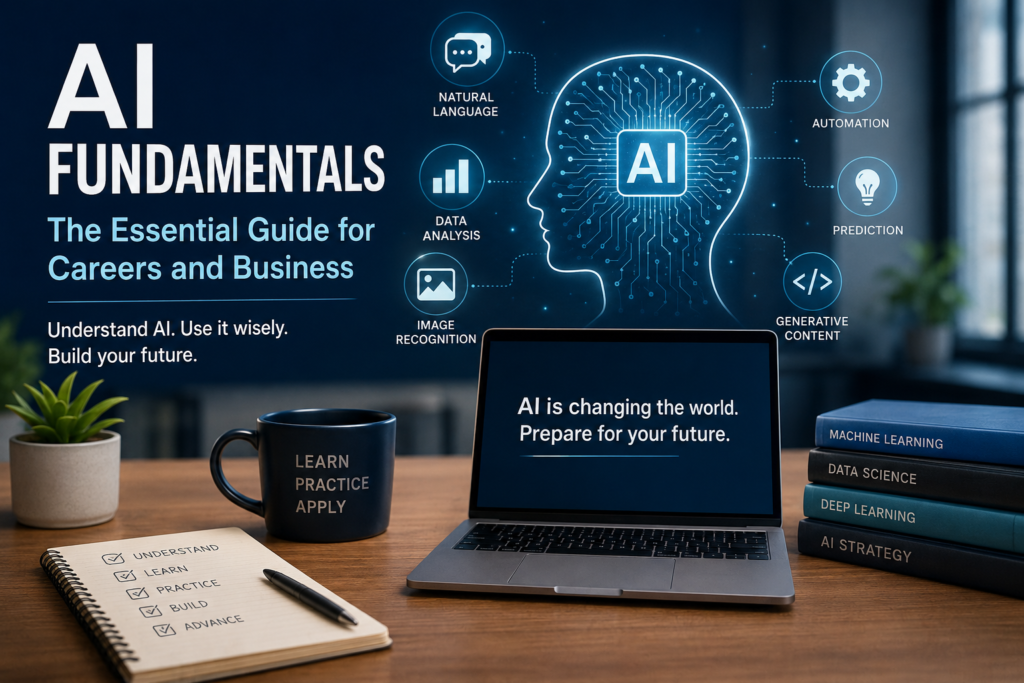
Artificial intelligence is becoming part of everyday work—from writing and research to data analysis, customer service, software development, healthcare, finance, and business operations. You don’t need to become an AI engineer to benefit from understanding how AI works. Learning the fundamentals can help you use AI more effectively, evaluate its results, and prepare for a workplace where AI skills are increasingly valuable. This AI Fundamentals guide introduces the essential concepts every professional should understand and provides a starting point for building practical AI skills.
Table of Contents
- What Is Artificial Intelligence?
- AI, Machine Learning, and Generative AI: What’s the Difference?
- How Does AI Learn?
- Types of AI You’ll Encounter
- Essential AI Concepts Every Professional Should Know
- What AI Does Well—and Where It Struggles
- How AI Is Changing the Workplace
- Practical AI Skills to Start Building
- Do You Need to Learn Programming?
- A Simple AI Learning Path
- Use AI Responsibly
- Where to Go Next
What Is Artificial Intelligence?
Artificial intelligence (AI) refers to computer systems designed to perform tasks that normally require aspects of human intelligence. These tasks can include recognizing patterns, understanding language, generating content, making predictions, analyzing information, and assisting with decisions.
Most AI used in today’s workplace is designed for specific tasks rather than possessing human-like general intelligence. A recommendation system, chatbot, fraud-detection system, image generator, and autonomous vehicle may all use artificial intelligence, but they use it in very different ways.
AI, Machine Learning, and Generative AI: What’s the Difference?
Artificial intelligence is the broadest term. It describes technologies that enable computers to perform tasks associated with human intelligence, such as understanding language, recognizing patterns, solving problems, and making predictions.
Machine learning (ML) is a branch of artificial intelligence. Instead of programming a computer with a specific rule for every situation, machine learning systems learn patterns from data and use those patterns to make predictions or decisions. Machine learning is used in areas such as fraud detection, recommendation systems, forecasting, image recognition, and predictive maintenance.
Generative AI is AI designed to create new content. Generative AI systems can produce text, images, software code, audio, video, summaries, and other material based on instructions or prompts. Tools built around large language models are among the most familiar examples of generative AI in today’s workplace.
An easy way to remember the relationship: AI is the broad field, machine learning is one approach used to build AI systems, and generative AI is a category of AI focused on creating new content.
How Does AI Learn?
AI systems generally learn by identifying patterns in data. During training, a machine learning model is exposed to examples and adjusts its internal parameters to become better at performing a particular task
For example, a system designed to recognize images might learn from large collections of labeled examples. A language model learns statistical patterns and relationships from large amounts of text and other training data. Once trained, these models can apply what they have learned to new inputs they have not encountered in exactly the same form before.
AI does not “understand” information in exactly the same way a person does. It can produce remarkably useful results, but those results can still be incomplete, inaccurate, biased, or misleading. Human judgment remains important—especially when AI is used for consequential decisions.
Types of AI You’ll Encounter
Generative AI creates new content based on a user’s instructions. It can help draft and summarize text, generate images, assist with software code, brainstorm ideas, analyze information, and support many other creative and professional tasks. Learning how to give these systems clear instructions—and how to evaluate their output—is becoming an increasingly useful workplace skill
Predictive AI uses patterns in historical data to estimate what may happen next. Businesses use predictive systems for sales forecasting, risk assessment, equipment maintenance, customer behavior analysis, fraud detection, and many other decisions.
Conversational AI enables people to interact with computer systems using natural language. Chatbots, virtual assistants, customer-support systems, and AI copilots are common examples. More advanced systems can maintain context, retrieve information, and assist users with multi-step tasks.
Computer vision enables AI systems to analyze and interpret images and video. Applications include medical imaging, manufacturing quality control, security systems, autonomous vehicles, inventory management, and document processing.
Recommendation systems analyze information about users, products, or behavior to suggest relevant options. They are widely used by online retailers, streaming platforms, social networks, learning platforms, and other digital services.
AI-powered automation combines artificial intelligence with workflows to help complete tasks with less manual effort. Emerging AI agents can go beyond generating an answer by working through multiple steps, using tools, retrieving information, and taking permitted actions toward a goal. Human oversight remains important, particularly when an AI system can affect customers, finances, data, or business operations.
AI Fundamentals: Essential Concepts Every Professional Should Know
A prompt is the instruction, question, or information you provide to an AI system. Clear prompts that include relevant context, goals, and constraints generally produce more useful results. Prompting is becoming a practical workplace skill because the quality of your instructions can significantly affect the quality of AI-generated output.
An AI model is a system trained to recognize patterns and perform particular types of tasks. Different models may specialize in language, images, audio, predictions, software development, or other capabilities. Choosing the right model or AI tool for a task can be just as important as knowing how to use it.
Training data is the information used to help an AI model learn patterns and relationships. The quality, quantity, and composition of training data can influence how well a model performs. Limitations or biases in the data can also affect the model’s results.
Inference is what happens when a trained AI model receives new input and produces an output. When you ask an AI assistant a question and it generates a response, you are using the model for inference rather than training it from scratch.
Context is the information an AI system has available when responding to a request. Providing relevant background, examples, objectives, and constraints can help an AI system produce a more appropriate response. However, AI systems have limits on how much information they can process or retain at one time.
An AI hallucination occurs when a system generates information that sounds plausible but is inaccurate, unsupported, or invented. This is one reason important AI-generated information should be verified rather than automatically accepted as fact.
Human oversight means people remain responsible for reviewing AI-generated work and deciding when and how it should be used. The greater the potential consequences of an AI-assisted decision, the more important careful human review becomes.
AI automation uses artificial intelligence to assist with or perform parts of a workflow. Automation can save time and increase productivity, but effective implementation requires deciding which tasks are appropriate to automate and where human judgment should remain involved.
What AI Does Well—and Where It Struggles
Artificial intelligence can be remarkably useful, but it is not equally reliable for every task. Understanding both its strengths and limitations can help you decide when AI can improve your work and when greater human involvement is necessary.
What AI Often Does Well
- Summarizing information and identifying key points in large amounts of text.
- Generating first drafts of emails, reports, presentations, outlines, and other content.
- Brainstorming ideas and providing alternative approaches to a problem.
- Finding patterns in data that may be difficult to identify manually.
- Automating repetitive tasks and assisting with routine workflows.
- Translating and reorganizing information into different formats or levels of complexity.
- Assisting with research by helping users identify questions, concepts, and areas that deserve further investigation.
- Supporting software development through code suggestions, explanations, debugging assistance, and documentation.
Where AI Can Struggle
- Accuracy: AI can generate incorrect information while presenting it confidently.
- Current information: Some AI systems may not have access to the latest information unless they are connected to current sources.
- Judgment: AI cannot replace human experience, accountability, or professional judgment.
- Context: An AI system may misunderstand circumstances or important details that a person would recognize.
- Bias: AI output can reflect biases present in training data, system design, or the information provided to it.
- Complex decisions: Decisions involving people, ethics, safety, finances, health, employment, or other significant consequences require appropriate human oversight.
- Source reliability: AI-generated claims, quotations, statistics, and references should be verified when accuracy matters.
A useful rule is to treat AI as an assistant rather than an unquestioned authority. Use it to accelerate thinking and work, but apply your own knowledge, judgment, and verification before relying on important results.
How AI Is Changing the Workplace
AI is increasingly being incorporated into everyday workplace tools and business processes. Rather than affecting only technology jobs, AI is changing how work is performed across industries including finance, healthcare, education, marketing, engineering, manufacturing, transportation, and small business.
In many occupations, the immediate change is not that AI performs an entire job. Instead, AI assists with specific tasks—research, writing, analysis, forecasting, customer support, documentation, software development, scheduling, content creation, and workflow automation.
This means professionals increasingly benefit from two complementary abilities: understanding their field and knowing how to use AI effectively within that field. Someone who combines industry knowledge with practical AI skills may be better positioned to adapt as occupations and responsibilities evolve.
Practical AI Skills to Start Building
You don’t need to master every area of artificial intelligence to become more AI-ready. Start with skills that are useful in your current work or the career you want to pursue, then build your knowledge gradually through practice.
AI Literacy
Learn the basic terminology, capabilities, and limitations of artificial intelligence. Understanding what AI can and cannot do makes it easier to evaluate tools, communicate with technical teams, and make better decisions about when to use AI.
Prompt Engineering
Learn how to give AI systems clear instructions, useful context, examples, and constraints. Effective prompting can improve the quality of AI-assisted research, writing, analysis, brainstorming, and problem-solving.
Data Literacy and Analysis
AI and data are closely connected. Developing the ability to understand data, recognize patterns, interpret results, and ask useful questions can benefit professionals in both technical and nontechnical roles.
AI Tools and Productivity
Become comfortable using AI-powered tools for tasks such as research, writing, summarization, presentations, data analysis, project planning, and workflow improvement. Focus on learning when a tool adds value, not simply using AI because it is available.
Automation and Workflows
Learn to identify repetitive or time-consuming tasks that could be improved through automation. Even without advanced programming skills, professionals can increasingly use AI-enabled platforms to connect tools, organize information, and streamline routine processes.
Communication and Human Skills
As AI handles more routine tasks, human capabilities remain important. Communication, critical thinking, creativity, collaboration, leadership, adaptability, and sound judgment can become even more valuable when combined with practical AI skills.
Do You Need to Learn Programming?
Not necessarily. Many professionals can use AI effectively without becoming programmers. Marketing specialists, educators, managers, healthcare professionals, business owners, analysts, and other workers can benefit from AI tools while focusing primarily on their existing areas of expertise.
Programming becomes more important for careers involving software development, machine learning engineering, data science, AI systems, automation, and other technical roles. Python is commonly used in AI and data-related work, but whether you need to learn it depends on your career goals.
If you’re unsure where to begin, start with AI literacy and practical AI tools. You can add data, programming, cloud, or other technical skills later as your goals become clearer.
A Simple AI Learning Path
1. Learn the Fundamentals
Understand basic AI concepts, terminology, capabilities, and limitations.
2. Start Using AI
Practice with AI tools for everyday tasks such as research, writing, summarization, brainstorming, and organization.
3. Build Job-Relevant Skills
Focus on skills that complement your career goals, such as prompt engineering, data analysis, programming, cloud platforms, or AI-assisted workflows.
4. Apply AI to Real Projects
Use AI to solve practical problems. Projects can help you build confidence while demonstrating what you can actually do with AI.
5. Keep Learning
AI technologies are changing rapidly. Continue developing your skills through courses, certifications, industry resources, experimentation, and hands-on practice.
Use AI Responsibly
AI can improve productivity and expand what professionals are able to accomplish, but it should be used thoughtfully. Verify important information, protect confidential and personal data, follow your employer’s AI policies, consider potential bias, and maintain appropriate human oversight.
When using AI professionally, remember that you remain responsible for the work you submit and the decisions you make, even when an AI system helped produce them.
Where to Go Next
Building AI skills is a journey rather than a single course or certification. Choose the next step that best matches your interests and career goals.
- Explore AI Skills — build practical skills for today’s workplace.
- Explore AI Careers — discover career paths where AI knowledge is increasingly valuable.
- Explore Learning Resources — find courses, books, tools, and other resources for continued learning.
- Explore AI Career Insights — follow practical guidance and developments affecting careers and the future of work.
You don’t need to learn everything about AI at once. Start with the fundamentals, practice consistently, and build the skills that are most relevant to where you want your career to go.
A Simple AI Learning Path
1. Learn the Fundamentals
Understand basic AI concepts, terminology, capabilities, and limitations.
2. Start Using AI
Practice with AI tools for everyday tasks such as research, writing, summarization, brainstorming, and organization.
3. Build Job-Relevant Skills
Focus on skills that complement your career goals, such as prompt engineering, data analysis, programming, cloud platforms, or AI-assisted workflows.
4. Apply AI to Real Projects
Use AI to solve practical problems. Projects can help you build confidence while demonstrating what you can actually do with AI.
5. Keep Learning
AI technologies are changing rapidly. Continue developing your skills through courses, certifications, industry resources, experimentation, and hands-on practice.
Use AI Responsibly
AI can improve productivity and expand what professionals are able to accomplish, but it should be used thoughtfully. Verify important information, protect confidential and personal data, follow your employer’s AI policies, consider potential bias, and maintain appropriate human oversight.
When using AI professionally, remember that you remain responsible for the work you submit and the decisions you make, even when an AI system helped produce them.
For additional guidance on managing AI risks responsibly, explore the National Institute of Standards and Technology (NIST) AI Risk Management Framework
Where to Go Next
Building AI skills is a journey rather than a single course or certification. Choose the next step that best matches your interests and career goals
- Explore AI Skills — build practical skills for today’s workplace.
- Explore AI Careers — discover career paths where AI knowledge is increasingly valuable.
- Explore Learning Resources — find courses, books, tools, and other resources for continued learning.
- Explore AI Career Insights — follow practical guidance and developments affecting careers and the future of work.
Link those respectively to your existing AI Skills, Explore AI Careers, AI Career Resources, and AI Career Insights pages. Since we’ve just audited those hubs, we know they’re the destinations we want.
You don’t need to learn everything about AI at once. Start with the fundamentals, practice consistently, and build the skills that are most relevant to where you want your career to go.