
Write Better AI Prompts: A Practical Beginner Lesson
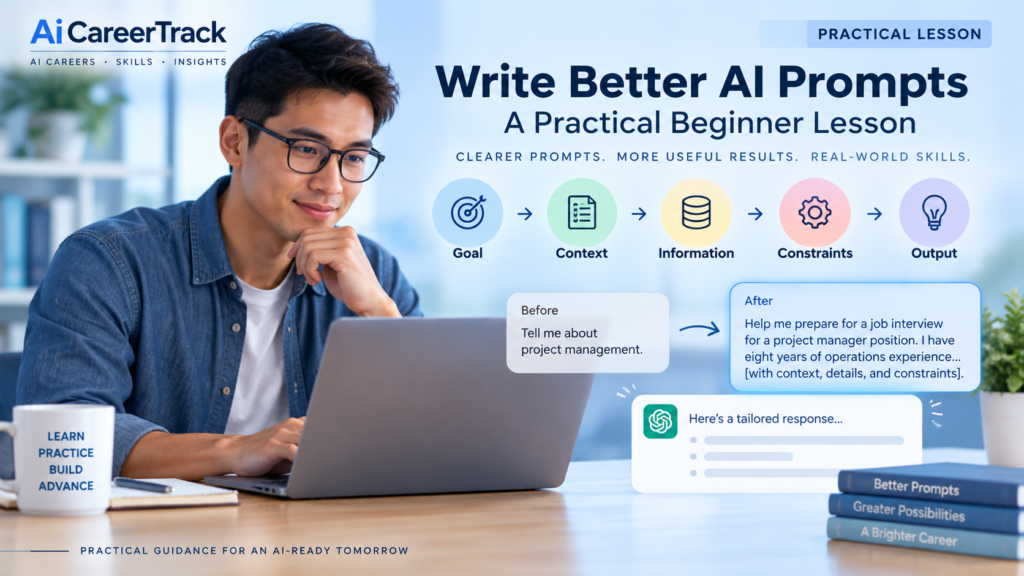
Learn how to turn a vague request into a clearer AI prompt using five simple elements: Goal, Context, Information, Constraints and Output.
Time: About 10–15 minutes
Level: Beginner
Technical skills required: None
You can complete this lesson using a general-purpose AI assistant such as ChatGPT, Gemini, Microsoft Copilot or another comparable tool. You do not need to purchase a new AI subscription to complete this lesson.
Why Better Prompts Produce Better Results
AI can often respond to a vague request, but when important information is missing, it may have to make assumptions about what you actually want. A clearer prompt gives the AI more useful direction and can make the response more relevant, specific and easier to use.
Start With a Vague Prompt
Imagine you’re preparing for a job interview and enter this prompt:
Help me prepare for a job interview.
The AI can respond, but it doesn’t yet know several things that could make its help more useful:
- What job are you interviewing for?
- What experience do you already have?
- What does the employer appear to be looking for?
- What kind of interview help do you want?
- Are there any boundaries the AI should follow?
Instead of asking the AI to guess, you can give it the information that matters.
Five Elements of Better AI Prompts
You don’t need a complicated formula or a long “master prompt” every time you use AI. For many tasks, you can improve your results by giving the AI five kinds of useful direction.
- Goal — What do you want the AI to help you accomplish?
- Context — What background does the AI need to understand your situation?
- Information — What facts, details or source material should the AI use?
- Constraints — What requirements, boundaries or limitations should it follow?
- Output — What should the finished response look like?
Build the Prompt Step by Step
Goal: Help me prepare for a job interview for a project manager position.
Context: I have eight years of operations experience but haven’t held the formal title of project manager.
Information: The job description emphasizes cross-functional projects, scheduling, stakeholder communication and process improvement.
Constraints: Focus on questions likely to reveal whether my operations experience transfers to project management. Don’t invent experience I haven’t provided.
Output: Give me 10 likely interview questions. For each, explain what the interviewer may be evaluating and suggest points I should consider including in my answer.
Put It All Together
Now combine the five elements into one prompt:
Help me prepare for a job interview for a project manager position. I have eight years of operations experience but haven’t held the formal title of project manager. The job description emphasizes cross-functional projects, scheduling, stakeholder communication and process improvement. Focus on questions likely to reveal whether my operations experience transfers to project management, and don’t invent experience I haven’t provided. Give me 10 likely interview questions. For each, explain what the interviewer may be evaluating and suggest points I should consider including in my answer.
What Changed?
- Goal made the task specific.
- Context explained the career-transition situation.
- Information told the AI what the employer appears to value.
- Constraints narrowed the task and told the AI not to invent experience.
- Output specified exactly what kind of response would be useful.
The improved prompt doesn’t guarantee a perfect answer. It simply gives the AI better information to work with—and gives you clearer criteria for deciding whether the response is useful.
A Better Prompt Doesn’t Have to Be Long
The five elements are a guide, not a rule that every prompt must be long or complicated. Sometimes the AI already has enough context, or the task is simple enough that a short instruction works well.
For example:
Summarize this email in three bullet points and identify anything I need to respond to.
That may be all the instruction you need. The goal is not to make every prompt longer. The goal is to give the AI enough useful direction for the task you want it to perform.
Use More Detail When It Matters
More context is especially useful when the task depends on your situation, audience, source information, requirements or desired format. If the first response is too generic, incomplete or based on incorrect assumptions, that is often a sign that you should provide better information or clearer instructions.
Think of prompting as a conversation rather than a one-time command. You can clarify what you meant, add missing information, ask the AI to critique its first response, or request a revision.
See the Method in Another Example
The same five elements can improve many everyday workplace tasks. Suppose you want AI to help announce an upcoming training session.
Start With This
Write an email about the training.
The request tells the AI what general task to perform, but almost everything else is left for the AI to guess.
Give the AI Useful Direction
Write a short email to our department announcing next Tuesday’s optional one-hour AI training session. Most employees are beginners. Explain that the session will cover practical workplace uses of AI and that no technical experience is required. Keep the tone friendly and reassuring, stay under 150 words, and end by asking employees to register by Friday.
Now see if you can identify the five elements yourself:
- Goal — What is the AI being asked to accomplish?
- Context — What helps the AI understand the audience or situation?
- Information — What facts does the AI need to include?
- Constraints — What requirements or boundaries should it follow?
- Output — What should the finished response look like?
You may notice that the five elements do not always appear as five separate sentences. That’s fine. What matters is whether the AI has enough useful direction to perform the task well.
Try It Yourself
Now it’s your turn. Start with this vague prompt:
Help me plan a meeting.
Add this as a bulleted list:
Output — Do you want an agenda, discussion questions, talking points, action items or something else?
Goal — What should the meeting accomplish?
Context — Who will attend, and why are they meeting?
Information — What does the AI need to know about the topic or situation?
Constraints — How much time is available? Are there requirements or topics to avoid?
Compare the Results
If you have an AI assistant available, try both versions. First enter the vague prompt. Then enter the improved prompt you created.
Compare the responses and ask yourself:
- Was the second response more relevant to the meeting I actually need to plan?
- Which additional information made the biggest difference?
- Did the AI still make assumptions I need to correct?
- Is there anything important I should add before using the result?
Remember: You Can Keep the Conversation Going
Your first improved prompt does not have to produce the final answer. If something is missing, tell the AI. If part of the response is weak, ask it to revise that part. If the AI misunderstood your goal, clarify it.
Effective AI use is often a process of giving direction, reviewing the result and improving the conversation—not trying to write one perfect prompt.
Apply It to Something Real
Choose one task you actually need to accomplish this week. It does not have to be complicated. The purpose is to practice giving AI useful direction on something that matters to you.
Possible tasks include:
- Preparing for a meeting
- Drafting an email or other correspondence
- Explaining an unfamiliar concept
- Organizing notes
- Brainstorming ideas
- Creating a checklist
- Comparing alternatives
- Planning a project
Build Your Prompt
Before asking AI for help, think through:
- Goal — What do I want to accomplish?
- Context — What does the AI need to understand about my situation?
- Information — What facts, details or material should it use?
- Constraints — What requirements, boundaries or limitations matter?
- Output — What would a useful response look like?
Write your prompt, enter it into your AI assistant and review the result.
Don’t Stop at the First Answer
If the response isn’t quite right, improve the conversation. Add missing information, correct assumptions, clarify your goal or ask for a revision.
The objective isn’t to get a perfect response on the first attempt. It’s to learn how the information and direction you provide can improve the usefulness of the result.
Check the AI’s Work
A well-written prompt can improve an AI response, but it does not guarantee that the response is accurate. AI can misunderstand information, overlook important details or produce statements that sound confident even when they are incorrect.
Before using an AI-generated response, ask:
- Did the AI follow my instructions?
- Are important facts accurate?
- Did it add information I didn’t provide?
- Did it make assumptions that need to be checked?
- Is anything important missing?
- Would the result make sense to another person who needs to use it?
Match Your Checking to the Consequences
Not every AI response requires the same level of verification. Brainstorming names for an informal project is different from using AI-generated information to make an important professional or personal decision.
The greater the consequences of an error, the more carefully you should review the information, check reliable sources and involve appropriate human expertise when necessary.
A Polished Answer Is Not Proof
One of the most important AI skills is learning to separate how convincing an answer sounds from how well the answer is supported.
Clear writing, detailed explanations and confident language can make an AI response appear authoritative. Those qualities do not prove that the information is correct.
Use AI to help you think and work—but keep your own judgment involved.
You Proved It
You have now practiced turning a vague request into a more useful AI prompt.
Before you finish, save three things from your practice:
- Your original vague prompt
- Your improved prompt
- One sentence explaining what made the improved prompt more useful
This doesn’t need to be a formal assignment. The purpose is to create a small record showing that you applied the skill rather than only reading about it.
What You Can Do Now
You should now be able to:
- Recognize when an AI prompt is missing useful direction.
- Use Goal, Context, Information, Constraints and Output to improve a prompt.
- Decide when a short prompt is sufficient and when more detail would help.
- Continue the conversation when the first response needs improvement.
- Review AI-generated information instead of assuming a polished response is correct.
That’s progress you can use immediately in your work, learning and everyday use of AI.
Watch: Write Better AI Prompts
Prefer to see the method in action? Watch the AiCareerTrack video lesson to learn how Goal, Context, Information, Constraints and Output can turn a vague request into a clearer, more useful AI prompt.
Continue Your AI Learning
Learning to write better prompts is a foundation, not the end of the process. As you become more comfortable using AI, the next step is learning how to provide better context, evaluate results and apply AI more reliably to real tasks.
Next Practical Lesson
Give AI Better Context—and Get Better Answers
This will be the next lesson in this practical learning sequence. It will show how the quality and relevance of the information you provide can change what AI is able to produce.
Go Deeper
Explore prompt engineering in greater depth, including techniques for communicating more effectively with AI systems.
Learn to Check AI Information
How to Evaluate and Verify AI-Generated Information
Learn a practical process for checking AI-generated claims, comparing sources and deciding how much confidence to place in an answer.
Find Your Starting Point
See where your current AI skills are strongest and identify areas you may want to develop next.
Keep Learning With AiCareerTrack
AI tools will continue to change, but the ability to give clear direction, evaluate results and apply good judgment will remain valuable.
Continue building practical AI skills one step at a time—and focus on what helps you work, learn and make decisions more effectively.